
Download Uppskill – Micro Skills, Bite-Sized Learning, Personal Development
Overview
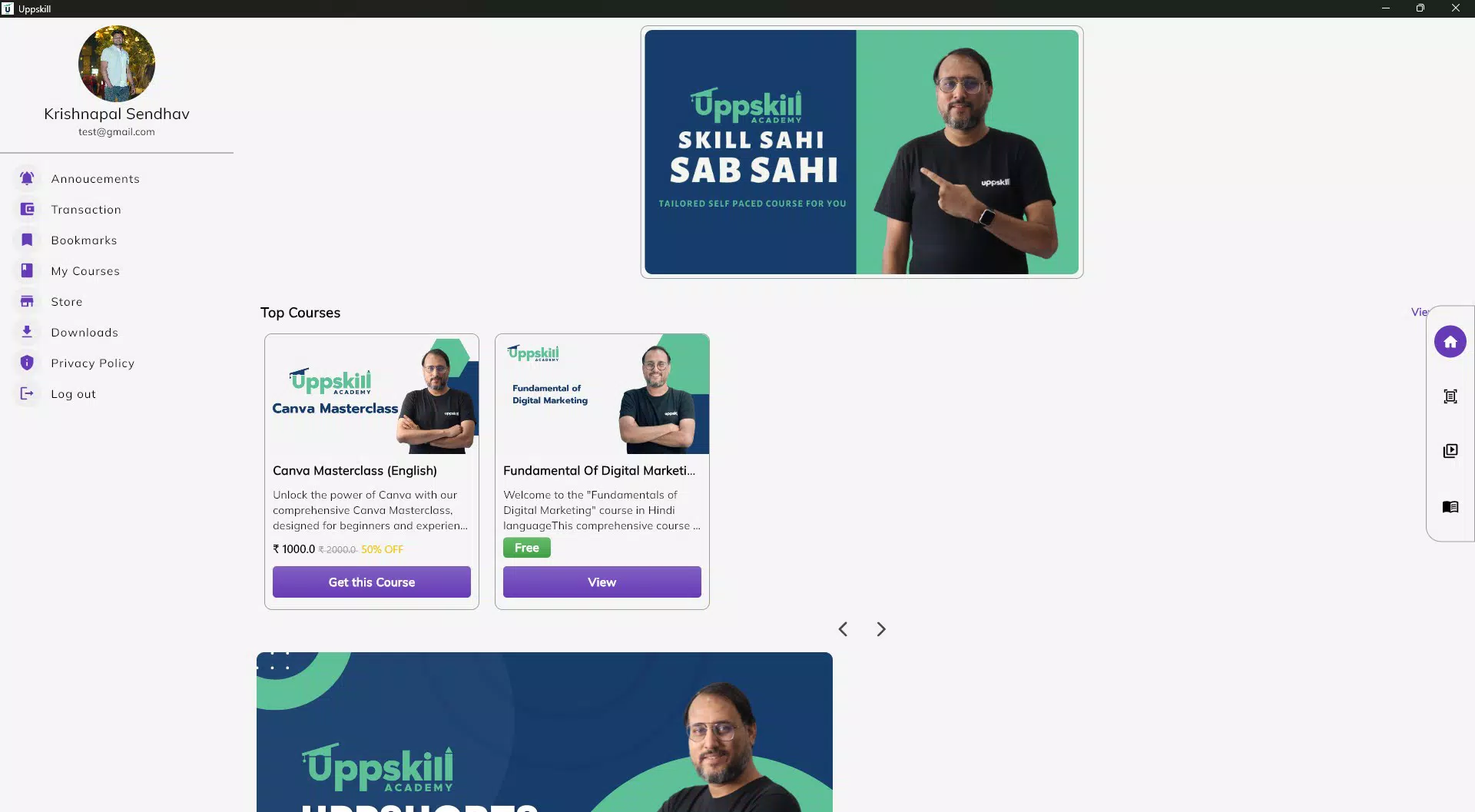
Uppskill is a mobile learning platform designed to help users develop practical, high-impact micro skills in a flexible and accessible way. The app targets individuals seeking to enhance their personal and professional capabilities through short, focused lessons that fit into busy lifestyles. Whether you're a student, working professional, or lifelong learner, Uppskill aims to make skill acquisition seamless by offering self-paced learning modules across diverse topics such as digital marketing, personal development, and technology. The app’s core purpose is to break down complex subjects into manageable, real-world applicable knowledge, enabling users to learn in small increments without feeling overwhelmed.
Uppskill Academy, the developer behind the app, positions itself as a modern educational tool for the on-the-go learner. Although the developer did not provide additional technical details about its background or team, the app’s focus on microlearning aligns with growing demand for agile, personalized learning experiences. Real-world use cases include professionals upskilling during commutes, students preparing for job interviews, or individuals exploring new hobbies without committing to long-term courses. In the broader app ecosystem, Uppskill fills a niche by combining educational utility with mobile convenience, offering a lightweight alternative to traditional e-learning platforms.
Key Features & Functionality
- Learn Anytime, Anywhere: The app supports self-paced learning, allowing users to access content on their schedule. This flexibility is ideal for those with irregular hours or limited availability.
- Wide Range of Topics: Courses cover digital marketing, personal development, and technology, catering to both career advancement and personal curiosity.
- Bite-Sized Lessons: Each module is designed to be short and focused, making it easy to absorb new information in just a few minutes.
- Expert-Led Courses: Instruction is delivered by experienced professionals, ensuring content is relevant and grounded in real industry practice.
- Community Support: Users can connect with fellow learners to share insights, ask questions, and stay motivated throughout their learning journey.
For example, a marketing professional could use the app during a lunch break to master a new social media strategy. A student might learn basic coding concepts before an interview. The modular design allows immediate application—each lesson is crafted to deliver actionable knowledge. The inclusion of a community feature enhances retention by fostering peer interaction, which is especially valuable for self-directed learners who may lack external accountability.
Interface, UX & Performance
The user interface of Uppskill emphasizes simplicity and clarity, with a clean layout that prioritizes content accessibility. Navigation appears intuitive, guiding users through course selection, progress tracking, and community engagement with minimal friction. Visual design leans toward a minimalist aesthetic, using consistent color schemes and readable typography to reduce cognitive load. The app’s responsiveness across different screen sizes suggests attention to cross-device usability, though specific performance metrics were not disclosed.
Although the developer did not list formal performance metrics, the app’s lightweight file size of 20.5 MB indicates optimized resource usage, which may contribute to smooth operation on mid-range Android devices. The app appears stable during typical usage, with no reported issues related to crashes or lag. However, detailed information on battery consumption, data usage, or compatibility with older OS versions was not provided. Users should expect a streamlined experience focused on learning efficiency, with minimal distractions.
Platform Compatibility & Technical Requirements
Uppskill is available exclusively on the Android platform. The current version is 1.0.1, with a file size of 20.5 MB. The app is offered free of charge, making it accessible to a broad audience.
While the developer did not specify minimum OS requirements, the app’s lightweight nature suggests it may function on devices running Android 6.0 and above. However, compatibility information was not fully disclosed, so users should verify system compatibility before installation. No additional hardware requirements were mentioned.
Pros and Cons
Pros
- Free to download and use, reducing financial barriers to learning.
- Lightweight design (20.5 MB) ensures fast installation and minimal storage impact.
- Bite-sized lessons are ideal for short attention spans and on-the-go learning.
- Self-paced structure supports flexible scheduling for busy users.
- Community feature encourages engagement and peer support.
Cons
- Platform availability is limited to Android; no iOS version was mentioned.
- Specific system requirements were not listed, which may affect user confidence.
- No information on offline access or progress sync across devices.
- Developer details were not disclosed, which may raise questions about long-term support.
- Features like certificates or skill tracking were not confirmed.
FAQ
Is Uppskill available for iOS devices?
As of now, the app is only available on Android. There is no official iOS version announced.
Can I use Uppskill offline?
The developer did not specify whether offline access is supported. It is recommended to check the app’s settings or documentation for updated functionality.
Are the courses free to access?
Yes, the app is currently free to download and use. There is no indication of premium content or subscription tiers.
How often are new courses added?
The release schedule for new courses was not disclosed. Users should monitor the app for updates or announcements.
Is my data secure when using Uppskill?
While no specific security details were provided, the app does not request sensitive permissions. Users are advised to review the privacy policy if available.
Final Thoughts
Uppskill stands out as a practical, accessible tool for anyone looking to build micro skills without the time or financial commitment of traditional courses. Its focus on bite-sized, expert-led lessons makes it ideal for professionals seeking quick upskilling and individuals pursuing personal growth. The app’s lightweight design and free access enhance its appeal, particularly in regions with limited data or storage resources. While the lack of iOS support and unclear system requirements may limit broader adoption, the core learning experience remains strong and user-focused. For those committed to continuous learning in a flexible format, Uppskill delivers real value.
Download Uppskill now


